

Troubleshooting
This page lists the problems people meet with the assistant, from it not appearing at all, through signing in and the customer portal, to actions and allowances, and what to check for each, in the order to check it. Find the symptom as you see it on your screen; messages are quoted as the assistant shows them. If the fix does not help, the last section says what to send your provider.
Symptoms
Section titled “Symptoms”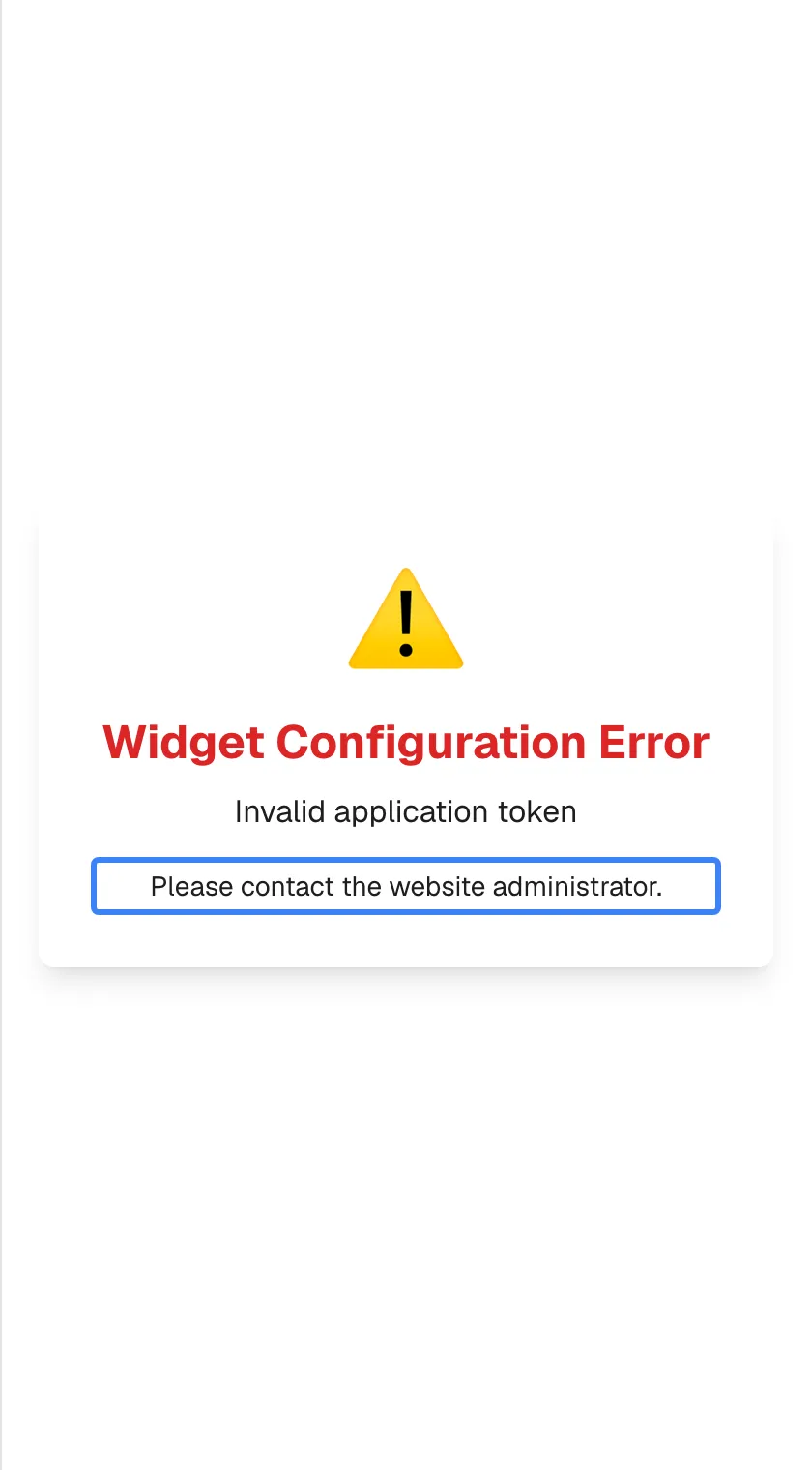
What this screenshot shows
- Screen
- Widget Configuration Error (/?applicationToken=…)
- Highlighted
- “Please contact the website administrator.”, error-card, error. none
- Also visible
- Server reason in English: Invalid application token
- Purpose
- the assistant does not load
| Symptom | What to check, in order | Fix |
|---|---|---|
| There is no chat button anywhere on the page | Your provider may show the assistant only on some pages; an ad or script blocker may hide it | Try another page of the product, allow the site in your blocker and reload. If it is missing everywhere, tell your provider; see Open the assistant |
| The window opens but stays blank | Your browser blocks site data for the product, for example in a private window or with strict privacy settings | Allow site data for the product or use a normal window, then reload |
| Widget Configuration Error with Please contact the website administrator. | Your provider’s set-up of the assistant is not valid; reloading does not help | Tell your provider, with the page address and the reason shown under the heading |
| Initialising... never finishes | Your network blocks the live connection the assistant needs, for example a company firewall, proxy or VPN | Reload, or try another network |
| Something went wrong with Retry | The sign-in service could not be reached | Select Retry; if it repeats, check your connection and reload |
| “Invalid credential.” | Whether you set up a PIN or a password, the digits you typed, Caps Lock | Retry carefully; the 5th wrong attempt in a row locks the account |
| Account locked with a countdown | Too many wrong attempts: the lock lasts 1 minute, then 5 minutes, 15 minutes, 1 hour and 6 hours | Wait for the countdown; the screen checks again by itself. If you have forgotten your PIN, ask your provider; see Sign in with a PIN or password |
| “PIN must be 4-8 numeric digits. (Parameter ‘credential’)” | The PIN you chose is shorter than 4 digits | Choose a PIN of 4 to 8 digits, numbers only |
| “Password must be at least 8 characters. (Parameter ‘credential’)” | The password you chose is too short | Choose a password of at least 8 characters |
| “Request failed (429)” when signing in | Too many sign-in attempts came from your network within a minute | Wait a minute, then try once |
| Account unavailable | Your access was switched off by an Admin of your company or by your provider, or your company’s access was switched off | Ask an Admin of your company or your provider to switch it back on |
| Welcome back appears while you were working | Your session ended: it expired, your access was switched off, your browser’s site data was cleared, or the browser blocks cookies inside embedded windows | Sign in again; tick Remember me on this browser to stay signed in for 7 days |
| The gear Configure is missing | You are not signed in, your provider has not switched the portal on, or the assistant is built into the page as an inline box | Sign in and reload; otherwise ask your provider for a direct link; see Your customer portal |
| A portal page is missing | Your role: Members see fewer pages. Your provider may also hide optional pages | Ask an Admin of your company or your provider |
| “This page is turned off for this portal.” in the portal | Your provider turned the page off while you had it open | Reload the page; ask your provider if you need it |
| “Request failed (403)” in the portal | Your role changed since you signed in | Select Log out and sign in again |
| The portal says your account is not associated with a company | Your account has no company | Contact your provider |
| “Customer company is deactivated.” in the portal | Your provider has switched off your company’s access | Contact your provider |
| Authorization expired | Your saved sign-in to one of your provider’s services failed several times in a row and was cleared | Enter your details for that service again; see Connect your account to the assistant |
| The message box is greyed out | An approval card is waiting above, an answer is still being written, or a handover to a person is connecting | Scroll up and decide on the card, or wait; see Actions the assistant takes for you |
| The assistant is temporarily unavailable. Please try sending your message again. or The assistant is handling a lot of requests right now. Please try sending your message again. | The AI is briefly unavailable or busy | Send your message again in a moment; nothing was saved for this attempt |
| The request is taking longer than expected. The system is still processing your request in the background. | The answer is still being prepared in the background | Wait, then reopen the chat from your chat history |
| Error processing message. Please try again. | The connection dropped while sending | Wait a moment and send again |
| A notice that the AI allowance is used up | Your provider’s limit for this period is reached | Check the reset date on Usage, or ask your provider |
| A run shows Paused — the AI allowance for this period is used up; the run continues when it resets. | The allowance is used up | Nothing to do; the run continues after the reset; see Agent runs |
| An attachment did not come through | File type, size (10 MB at most) and count (5 per message); other files are left out without a message | Use an image, PDF, CSV or XML file within the limits; see Ask questions |
| Too many runs in the last minute. Try again shortly. | More than 5 runs started for your account in the last minute | Wait a minute |
| An upload to the knowledge base is refused | The file type (PDF, Word, text, Markdown or JSON only) and the size (100 MB at most) | Convert or shrink the file; see Knowledge Base |
Still stuck
Section titled “Still stuck”Contact your provider; the assistant has no support channel of its own. Send:
- your customer ID, from ConfigureProfile;
- the date and time the problem happened;
- what you selected or typed just before;
- the exact message, copied or as a screenshot;
- for a background run, its title and start time from Agent runs.
Your provider can look up your account and whether it is locked or switched off, your chats, your background runs, the records of what was sent to the AI, and the actions the assistant took for you.